
Description
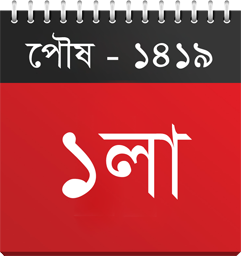
Displays Bangla, Gregorian and Hijri date, Archive Calendar, time, name of the day, name of the current season, and more in Bangla language. Options are also available for displaying post/page default (English) date, time, comment count, and numbers in Bangla language.
Usage
- Install and activate the plugin.
- Navigate to: Settings -> Bangla Date Display.
- Use widgets or shortcodes.
Features
- Bangla date (Bangladesh and India).
- Hijri Date.
- Gregorian date.
- Bangla day, time and current season name.
- Advanced bangla archive calendar widget.
- Options for displaying post/page’s default (english) time, date, comment count etc in bangla language.
Credits
- Developer: ALI IMRAN
- E-Mail: imran4dev@gmail.com
- Website: imran.link
Screenshots


Installation
- Method#1:
- Navigate to: Plugins -> Add new -> Search.
- Search for “Bangla Date Display”.
- Install and activate plugin.
- Go to: Settings -> Bangla Date Display.
- Method#2:
- Download plugin (zip file).
- Upload and install.
- Activate plugin.
- Go to: Settings -> Bangla Date Display.
FAQ
-
How does it work?
-
Use these shortcodes in your blog post/page:
-
Show current date from bangla calendar: [bangla_date]
-
Show english date in bangla language: [gregorian_date]
-
Show hijri date in bangla language: [hijri_date]
-
Show name of the day: [bangla_day]
-
Show current time: [bangla_time]
-
Show name of the current season: [bangla_season]
-
Show Archive Calendar: [ajax_calendar start_year=”2026″ language=”bn”]
Or, Use these PHP codes in your theme’s sidebar or template file:
-
Show current date from bangla calendar:
< ?php echo do_shortcode(‘[bangla_date]’); ?> -
Show english date in bangla language:
< ?php echo do_shortcode(‘[gregorian_date]’); ?> -
Show hijri date in bangla language:
< ?php echo do_shortcode(‘[hijri_date]’); ?> -
Show name of the day:
< ?php echo do_shortcode(‘[bangla_day]’); ?> -
Show current time:
< ?php echo do_shortcode(‘[bangla_time]’); ?> -
Show name of the current season:
< ?php echo do_shortcode(‘[bangla_season]’); ?> -
Show Archive Calendar:
< ?php echo do_shortcode(‘[ajax_calendar start_year=”2026″ language=”bn”]’); ?>
-
-
Is it customizable?
-
Yes! This plugin is almost fully customizable! After installation and activation, go to “Settings -> Bangla Date Display” for plugin settings.
Reviews


Contributors & Developers
“Bangla Date Display” is open source software. The following people have contributed to this plugin.
Contributors
Translate “Bangla Date Display” into your language.
Interested in development?
Browse the code, check out the SVN repository, or subscribe to the development log by RSS.
Changelog
10.1.0
- Added option for Hijri date roll over time.
- Ongoing improvements.
10.0.0
- Core features are rewritten in JS instead of PHP.
- Will work properly on Cache-enabled sites.
- Both Bangladesh and Indian calendar support.
- Redesigned Archive Calendar Widget.
- Optimized for improved performance.
- Fixed security issues.
- Compatible with WP 7.0
1.0 – 9.4
- Many changes and improvements.